






Working from home offers flexibility, but it can also make concentration more difficult. Household tasks, notifications, background noise, and unclear work hours can quickly interrupt your attention. The good news is that better focus usually comes from small, repeatable improvements rather than a complete change to your routine.
By creating a work-friendly environment, planning your day, and giving yourself regular breaks, you can make it easier to stay focused and finish important tasks.
Create a Dedicated Work Area
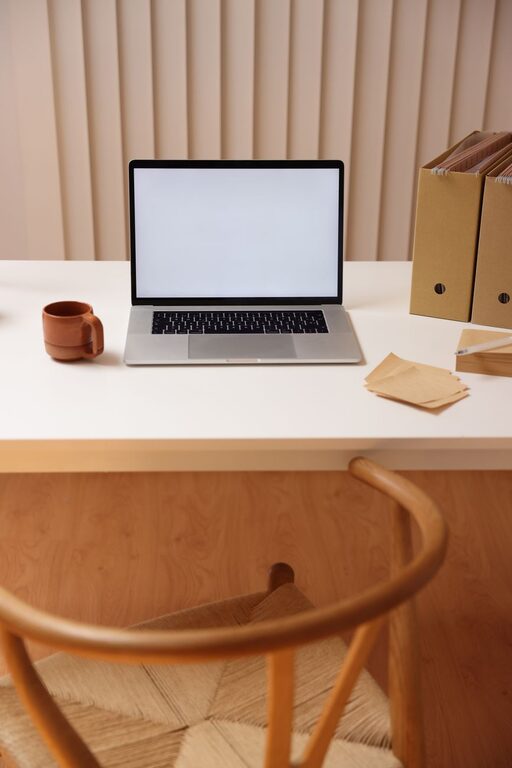
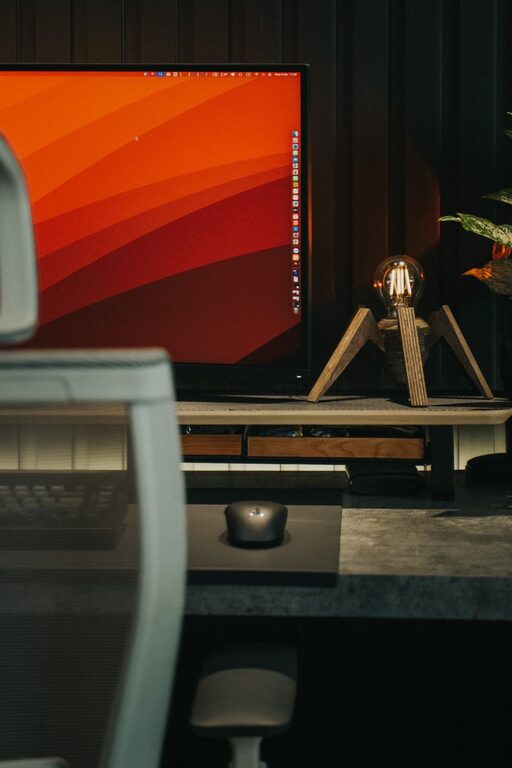
A dedicated workspace helps separate work time from personal time. If possible, use a desk, table, or quiet corner that is reserved mainly for work. This physical separation can make it easier to begin tasks and harder to drift into household activities.
Your workspace does not need to be large or expensive. Focus on making it practical and comfortable.
Consider these simple improvements:
– Keep your most-used supplies within easy reach.
– Remove items that are unrelated to your current tasks.
– Position your screen to reduce glare.
– Use a comfortable chair and keep your feet supported.
– Make sure the area has enough light.
– Keep your phone away from your immediate workspace when possible.
At the end of the workday, clear the surface or close your work materials. This creates a visible boundary between work and personal time.
Start With a Simple Daily Plan
A clear plan reduces the mental effort required to decide what to do next. Before beginning work, write down the tasks you want to complete. Keep the list realistic so it provides direction without creating unnecessary pressure.
Start by identifying your most important tasks. These are the activities that have the greatest effect on your goals or deadlines. Place them earlier in the day if that is when you usually have the most energy.
A useful daily plan may include:
- One to three priority tasks
- Smaller tasks that can be completed quickly
- Meetings or scheduled commitments
- Time for email and messages
- Short breaks
- A planned stopping time
Try to avoid filling every minute. Leaving some open time allows you to handle unexpected requests without losing control of your schedule.
Choose the Next Action
Large projects can feel difficult to start because they contain many steps. Make them easier by identifying the next specific action.
Instead of writing “work on presentation,” write “draft the opening slide” or “review the presentation outline.” A clear next action removes uncertainty and helps you begin faster.
Use Focus Blocks
Focus blocks are set periods dedicated to one task. During a focus block, avoid switching to unrelated work unless something truly urgent requires your attention.
You can choose any length that works for you. Some people prefer 25-minute sessions, while others focus better for 45 or 60 minutes. Begin with a manageable period and adjust it based on your experience.
A simple focus block might look like this:
– Choose one task.
– Set a timer.
– Close unrelated tabs and applications.
– Work until the timer ends.
– Take a short break.
– Repeat if needed.
The goal is not to work without interruption all day. The goal is to give important tasks your full attention for a defined period.
Reduce Digital Distractions
Online distractions can interrupt focus even when they take only a few seconds. Each interruption may make it harder to return to the original task.
Start by turning off nonessential notifications on your computer and phone. You can also schedule specific times to check email, chat tools, and social media rather than responding whenever a message appears.
Other helpful changes include:
– Keep only the tabs you need open.
– Use a separate browser window for work.
– Sign out of personal accounts during work hours.
– Place your phone in another room or use a do-not-disturb setting.
– Check messages between focus blocks.
– Unsubscribe from unnecessary email updates.
If your work requires frequent communication, you may not be able to turn off every alert. In that case, use status settings or schedule periods when you are available for quick questions.
Manage Household Interruptions
Working from home can make personal responsibilities feel constantly available. Establishing simple boundaries can reduce interruptions.
If you share your home with others, explain when you are working and when you are available. A closed door, desk sign, or headphones can serve as a visual signal that you need quiet time.
You can also plan household tasks around your work schedule. For example, prepare lunch before the workday begins, set aside a specific time for chores, and avoid starting small tasks during focus periods. A quick load of laundry can easily turn into several unrelated activities.
When possible, create a basic agreement with people in your household about:
– Quiet hours
– Meeting times
– Shared spaces
– Pet care
– Urgent situations
– Break times when you are available
These agreements do not need to be formal. A clear conversation can prevent repeated interruptions.
Take Purposeful Breaks
Breaks support focus by giving your mind time to reset. Without planned breaks, you may continue working while becoming tired and less effective.
A useful break should move you away from your main task. Stand up, stretch, walk around, drink water, or look away from your screen. Even a few minutes can help you return with greater attention.
Try to avoid filling every break with more digital content. Checking social media or reading unrelated news may keep your mind busy instead of refreshed.
You can schedule breaks after completing a focus block or reaching a natural stopping point. Longer work periods may need a longer break, especially if you have been reading, writing, or working with detailed information.
Match Tasks to Your Energy
Not every task requires the same type of attention. Some activities need deep concentration, while others can be completed with less mental effort.
Notice when you tend to feel most alert. Use that time for tasks such as writing, planning, problem-solving, or learning. Save routine activities, file organization, and simple replies for periods when your energy is lower.
This approach does not require a perfect schedule. It simply helps you use your best focus more intentionally.
If your energy changes from day to day, create a short list of tasks for different situations. For example, keep one list for high-focus work and another for easy tasks you can complete when you feel distracted or tired.
Keep Your Workday Boundaries Clear
When your home is also your workplace, it can be tempting to keep working long after your planned finish time. This may make it harder to relax and can reduce your focus on the following day.
Choose a general end time and use a brief closing routine. Review what you completed, note the next step for unfinished work, and close your work applications. If possible, leave the workspace or put away work materials.
A closing routine might include:
– Checking your task list
– Recording unfinished items
– Preparing the next day’s priorities
– Clearing your desk
– Turning off work notifications
– Changing location or activity
Ending the day deliberately helps your mind shift away from work.
Review and Improve Your Routine
No focus strategy works perfectly for everyone. Test one or two changes at a time and observe the results. You may discover that a different workspace, shorter focus blocks, or scheduled message checks work better for you.
At the end of each week, ask yourself:
– When did I focus most easily?
– What caused the most interruptions?
– Which tasks took longer than expected?
– Were my breaks useful?
– What one change should I try next week?
Better focus is built through regular adjustments. By creating a supportive workspace, planning realistic tasks, reducing distractions, and protecting your breaks, you can make working from home more organized and productive.